Choose the app and its host.
Configure identity, modules, capabilities, and the services you want to use. Begin with the SDK alone or connect to managed infrastructure.
Write the feature. Let Platinum handle the shared security, interface, services, and delivery around it.
Your application can start with ordinary SDK code and arrive in a workspace full of compatible tools. Build less of the machinery. Give your users more to work with.
-- The host supplies an authorized task-board view.
local function completeTask(view, taskId)
  local board, revision = view:snapshot()
  for _, task in ipairs(board.tasks) do
    if task.id == taskId then
      if task.status == "done" then return end
      task.status = "done"
      return view:commit(revision, board)
    end
  end
  error("Task not found: " .. taskId)
end

completeTask(view, "review-layout")Choose the view that fits your work.
Use the supported objects, events, commands, and views. Identity, access rules, and service conventions follow the shared application model.
Read an object. Change its title. Commit the edit. No cryptography calls, permission plumbing, or security middleware in the feature.
local data, revision = view:snapshot()
data.title = "Our next great idea"
view:commit(revision, data)Custom native module extensions have additional ABI, lifetime, and recovery responsibilities. When users enable kernel enforcement, native extensions are covered and direct syscalls are blocked. The transparent development path uses supported SDK interfaces. Does not run on magic.
Configure identity, modules, capabilities, and the services you want to use. Begin with the SDK alone or connect to managed infrastructure.
Use high-level interfaces and supported language bindings. Add a native extension when specialized work calls for it.
Carry the release inventory, verification, licensing, and chosen distribution workflow through the configured build.
Release integrity, scoped permissions, protected settings, verified services, and secure transport work together around supported application code. Users can add kernel-level enforcement, including direct-syscall blocking for native extensions, or use the watchdog in user-space mode.
Select a boundary. See what enforces it, what you configure, and the policy behind it.
Application identity and the complete dependency inventory connect the bytes being loaded to the release that was registered.

Declare application identity, modules, capabilities, and service configuration in the build workflow. The Runtime carries the resulting identity into supported operations.
| Verification result | Admission decision |
|---|---|
| Matches an accepted release | Apply the configured trust and license policy. |
| Verification unavailable or unknown build | Present an explicit trust decision where policy permits; do not label it verified. |
| Mismatch, revoked or disallowed code | Reject under the applicable admission policy. |
Publisher identity, software integrity, and a product license are separate facts. A valid signature is not a guarantee that a program is harmless.
Read this part of the security manual ↗Build the interface from structured data, author it in the GUI DSL, manipulate it with Lua, or extend it in native code. Keep identity, layout, styling, state, and actions understandable on both sides of the screen.
Inspect, generate, and transform the same ordered widget data that describes the view. Stable IDs, parent relationships, attributes, and text stay explicit.
{
  "version": 1,
  "name": "Greeting",
  "size": [640, 360],
  "stylesheet": "",
  "elements": [{
    "id": 4, "parent": null, "kind": "button",
    "attributes": {
      "x": "16", "y": "16",
      "width": "200", "height": "40",
      "class": "primary", "action": "greet"
    },
    "text": "Greet"
  }],
  "comments": []
}
Serialized core UI data. Bound incoming input and validate the document before layout or use. An action name expresses intent; it does not grant permission.
Read this API example ↗Use the shared widget and theme system instead of hard-coding the same visual decisions into each screen. Applications can carry their own identity while respecting the user’s selected theme and effective system policy.
Keep widget structure, styling, and domain actions distinct. Custom controls and native extensions can add specialized behavior without turning every application into a separate visual language.
Explore widgets, panels, and themes ↗A compatible editor can add an operation. Another app can add a view. A shared object can stay connected across both. Your users benefit from the combination without your team building every integration from scratch.
Expose useful objects and operations through the shared interfaces. Use the common themes, controls, and lifecycle. Your application can feel at home on day one and gain new possibilities as the user adds compatible tools.
The Software Hub gives that experience a place to be discovered. Users who value the fit have a reason to look for a Platinum application first. Each useful addition helps make that preference worth having.
A document, a person, a model, a service: each has an identity, properties, and things you can do with it. Platinum gives applications a shared way to present and work with those objects, so the computer can feel like one coherent environment.
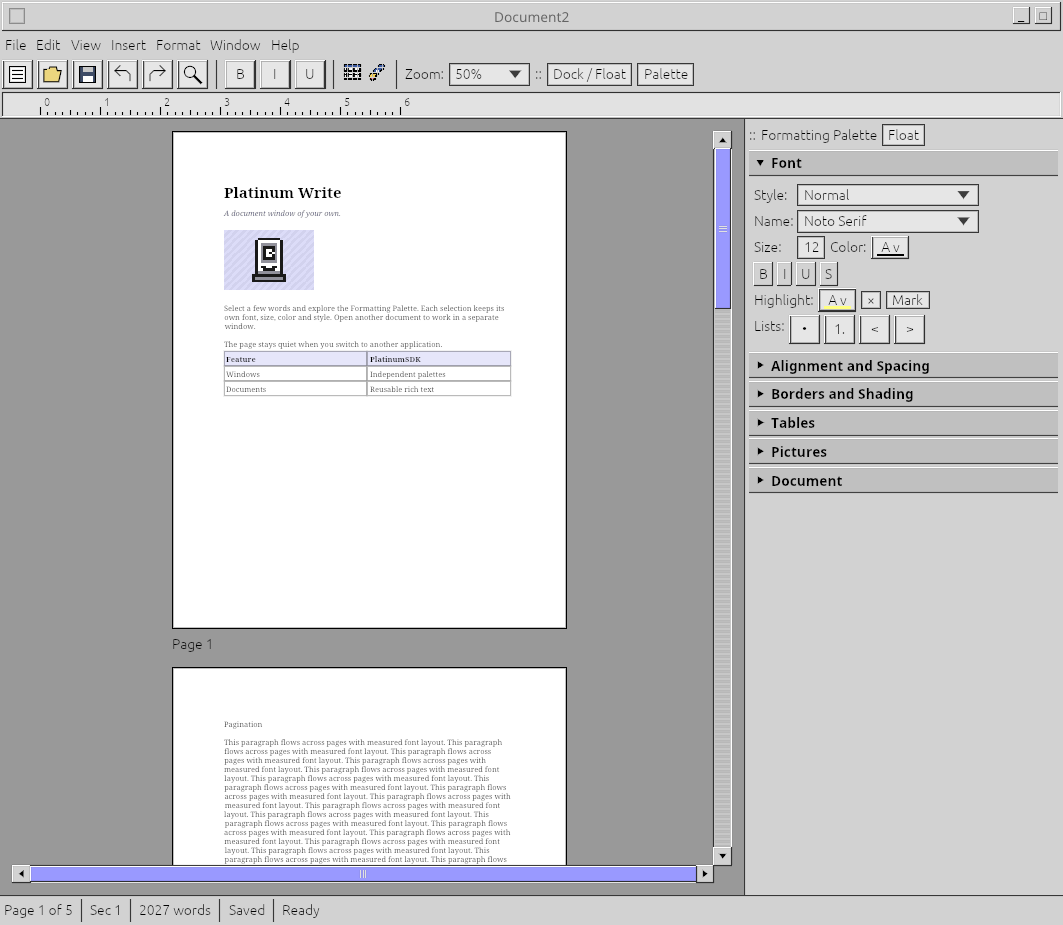
Write keeps the page, its tools, and its views connected to the work itself. An authorized compatible application can contribute another way to work with a supported object.
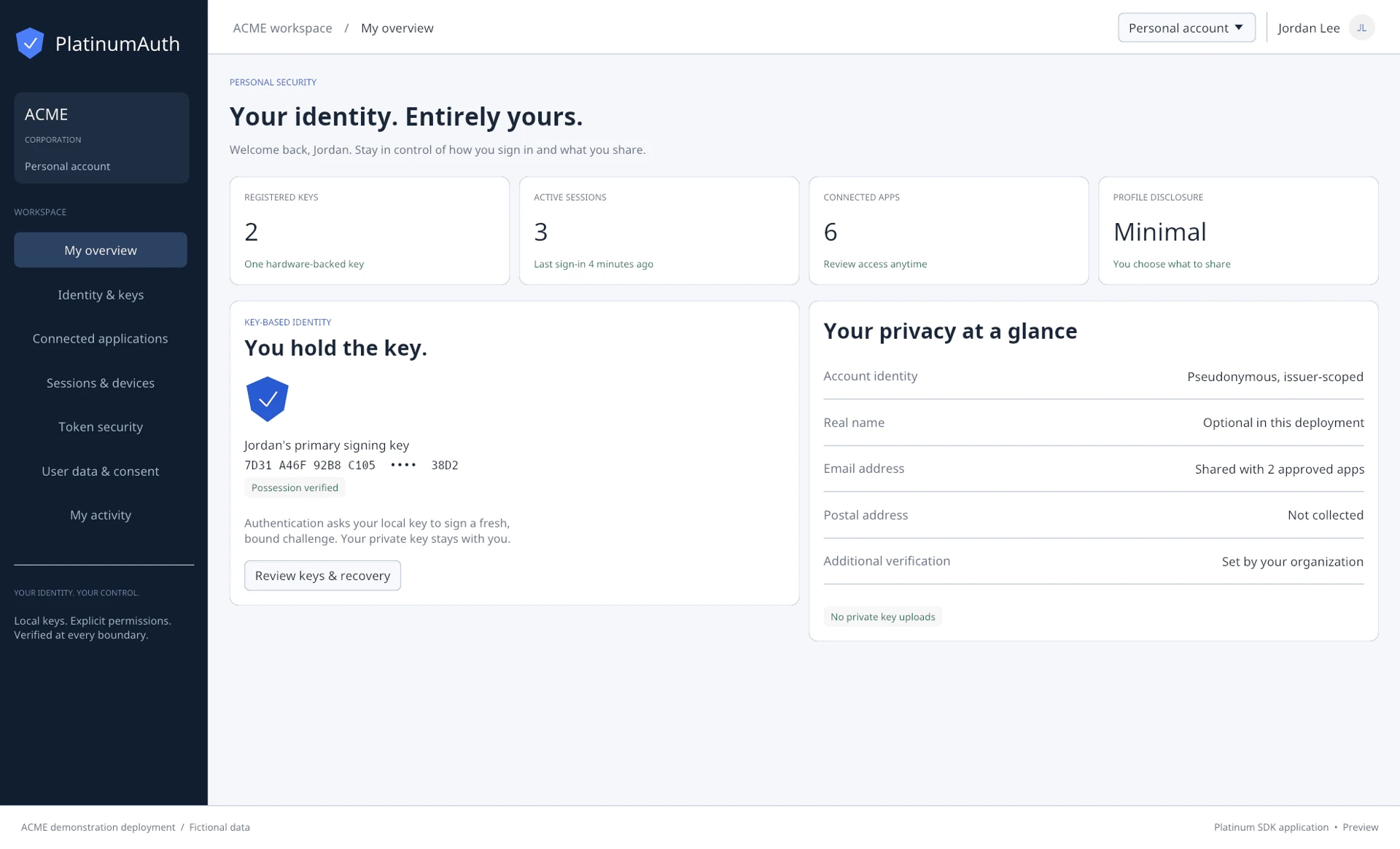
Auth gives accounts, sessions, roles, and access a shared home. Applications can use the same trusted identity services while keeping their own purpose.
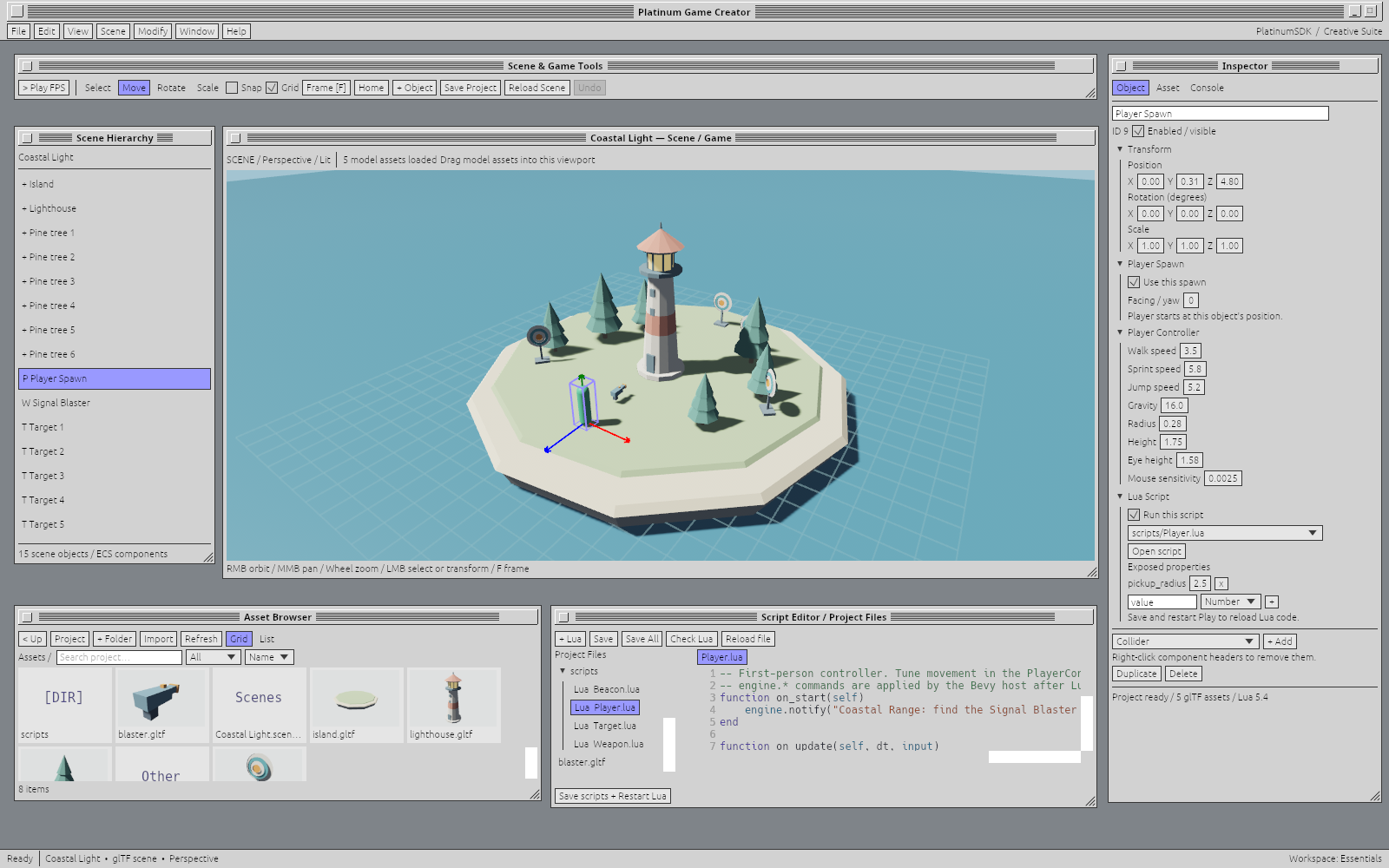
Game Creator shows how far the same foundation can stretch: from documents and business tools to visual editors, interactive scenes, and games.
The computer should make sense at both levels. Underneath, explicit state, commands, and systems give the engine room to organize work efficiently. On screen, documents are documents, tools are tools, and windows belong to the work you’re doing.
Give users a consistent model of their work while keeping state, commands, and views explicit inside your application. Shared controls, services, and objects make that clarity practical across an entire software environment.
Separate the model from its presentation. Document state and selection do not depend on a particular window or camera. An application can choose its workspace without rewriting the object it edits.
GPU-backed presentation, cached text shaping and page layout, offscreen culling, and background recovery keep repeated work out of the interactive path.
Cross-platform support stays central. Native host adapters and a browser canvas share the SDK. Choose the host that fits your product while keeping the supported application model and service contracts consistent.
A document doesn’t need to trap every tool inside its frame. In native Platinum Write, documents, toolbars, and formatting palettes can live in separate host windows. Put them where the work makes sense. Float them or dock them.
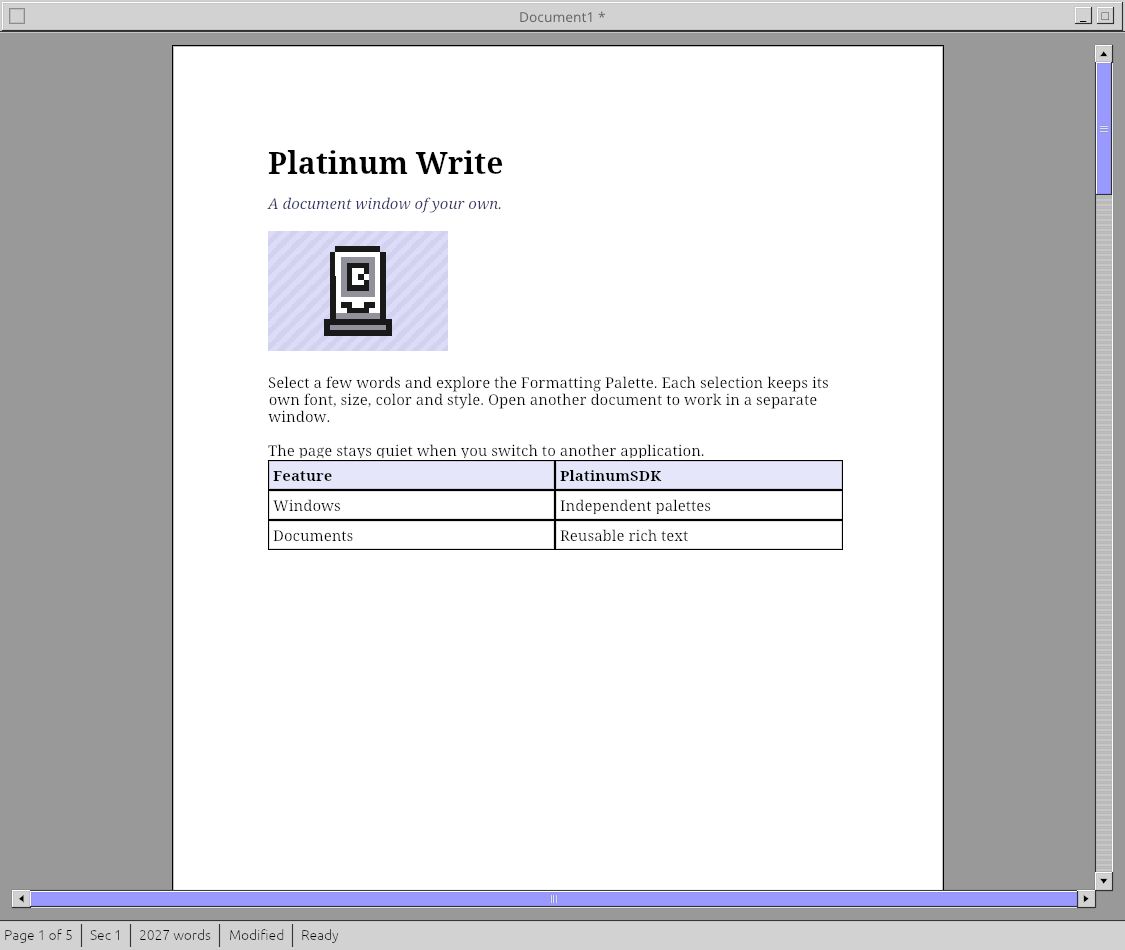

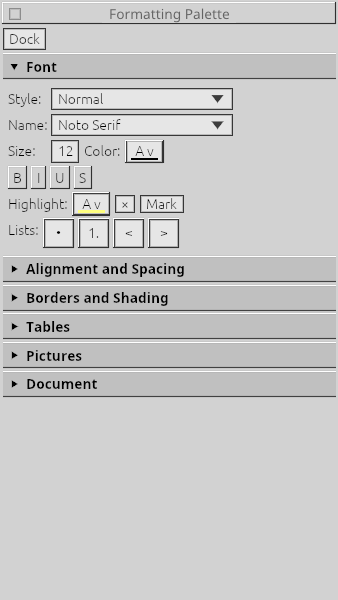
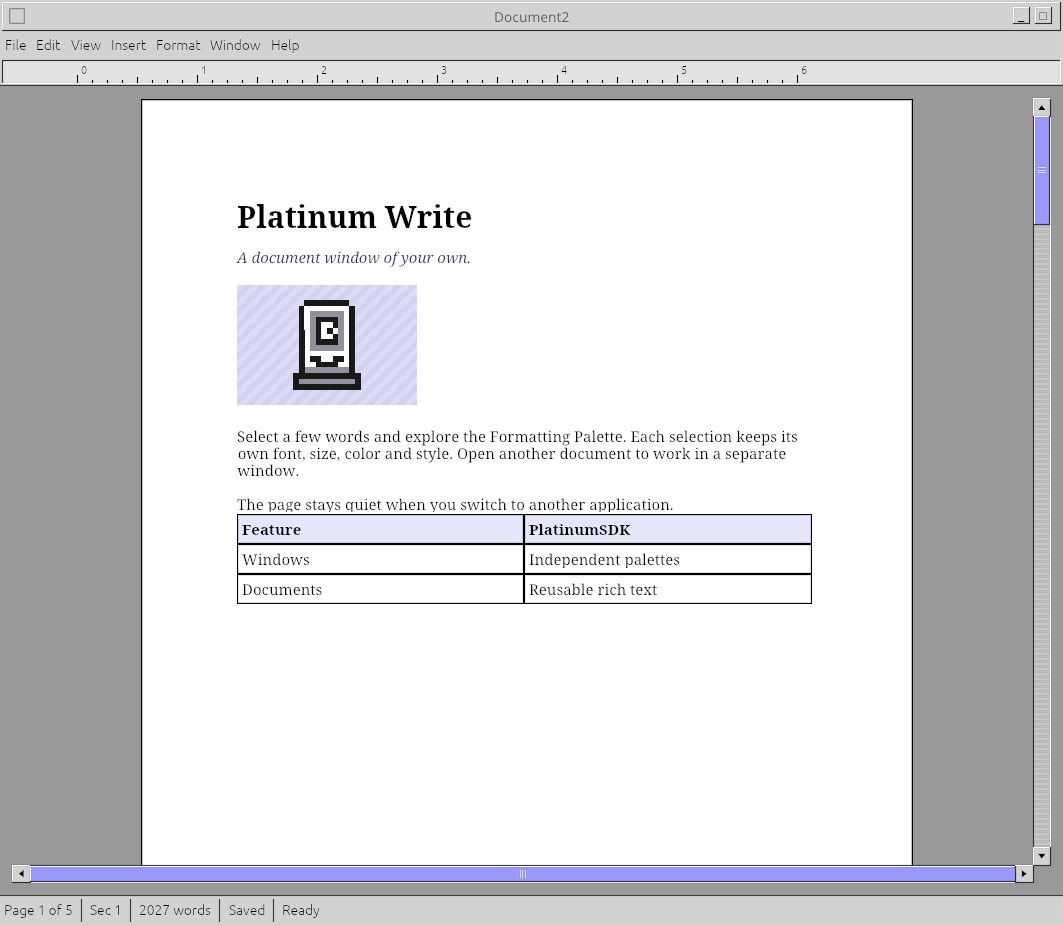
This is actual native application behavior. Platinum Write’s browser build uses a shared canvas and tabs to fit the browser host.
A comfortable application framework should be understandable on both sides of the screen. Explore the workspace, the engineering and the boundaries behind it.
Build around the work itself: documents, selections, tools and commands. A different view should not require a different idea of what the object is.
Application preview
From your first playable idea to ambitious, production-scale games, create without unnecessary barriers. An intuitive development environment meets powerful tools, high-performance technology, and native extensibility, giving you the freedom to build what you envision without fighting the engine along the way.
A business account workspace doesn’t need to feel like a game editor. A writing desk doesn’t need to look like either. Themes, palettes, controls and task-specific layouts let applications express their own identity while sharing the PlatinumSDK foundation.
Choose the visual character and layout that suit the task, while keeping familiar controls and shared application behavior.
Platinum Desktop is the runtime and application ecosystem your users install alongside their existing system. Its common controls, themes, security policies, and service connections let your application participate in the experience.
Expose supported objects and operations through permissioned interfaces. Compatible tools can contribute views and edits without each pair of applications requiring a bespoke bridge.
Licensed developers can connect to managed master services. A separate self-hosting tier supports private infrastructure, internal repositories, and organization-specific identity and policy.
Rust, Bevy, modern graphics, and cryptographic services provide the foundation. Use supported high-level interfaces and language bindings; integrate native modules through the supported ABI when specialized work calls for them.
Separate presentation, application work, and shared services around recoverable state. Supported components can reconnect to the work instead of treating every failure as a fresh session.
Separate the UI frontend, runtime broker, application logic, and memory/state servers. A window or worker can restart and reconnect to the work, reducing repeated setup and avoidable downtime.

Draws views and collects intent. It can be rebuilt from the model rather than owning the only copy of the work.
Routes supported requests under application identity and permissions, and reconnects authorized participants.
Runs domain commands, validation, and jobs independently of the view presenting them.
Own registered application models and accepted revisions outside the frontend and logic worker lifetimes. Durability follows the configured checkpoints and storage.
The frontend is replaced and reattaches to its supported views and registered state.
For your users: People spend less time reopening and reconstructing the workspace.
Transient focus or selection may need to be restored separately.
| What changes | What the platform does | What you define |
|---|---|---|
| A view restarts | Re-establishes supported bindings and presentation connections. | The state the view presents and its supported commands. |
| A stateful component restarts | Restores registered recoverable state and reconnects participants. | The state model and durable checkpoint policy. |
| Work was interrupted | Preserves the recovery lifecycle and reports unresolved operations. | Which external side effects can be retried, confirmed, or recovered. |
Recovery uses supported state and lifecycle interfaces. Native extension state and external side effects need explicit contracts. The user can opt into kernel enforcement, including direct-syscall blocking for native extensions; process separation alone is a different boundary.
Connect to Winnitude’s managed master services for supported application registration, identity, verification, licensing, and ecosystem integration. Keep less infrastructure on your own operations list.
Use the Software Hub for your release and commercial workflow while retaining the freedom to distribute through your own site and other channels.
The modular Server bundle adds web applications, management interfaces, services, and thin-client delivery to a Platinum application. Use traditional networking or Platinum tunnels as the deployment requires.
Choose a separate self-hosting license when your product or organization needs to operate its own service infrastructure.
You do not need to start a new application—or move an existing one into the full SDK—to benefit from Platinum. Individual Platinum libraries are available under separate license tiers.
Talk to us about the component you need and the product you already have. We’ll help identify its integration requirements, applicable services, and licensing, without treating a full platform migration as the starting point.
Discuss individual librariesLicense selected components for an existing product under separate tiers. Start with the capability you need.
Use the shared application model and connect to managed master services included for licensed developers.
Choose a separate self-hosting license to operate an internal environment, with setup and optional support from Winnitude.
Computers should make sense to human beings, not require human beings to learn to think like computers.
A document should remain the same thing wherever you work on it. A control should behave the way it looks. Your tools should respect your choices and let you arrange the work around you.
We call this Humanist Design: consistent rules, useful objects, room to explore, and sophisticated software that feels natural to use.
Read our Humanist Design philosophyStart with the manual, explore a component, or talk through the services and license that fit your application.