Make yourself at home
Float your tools beside the page, dock them into the document, or move them to a more comfortable spot. Choose your type, size and colors. The workspace adapts to the way you like to write.
A comfortable, retro writing workspace for whatever you want to put into words. Keep your tools close, give your thoughts some room, and arrange your desk the way you like it. Designed to feel quick, calm and dependable, from a short note to a long afternoon of writing.
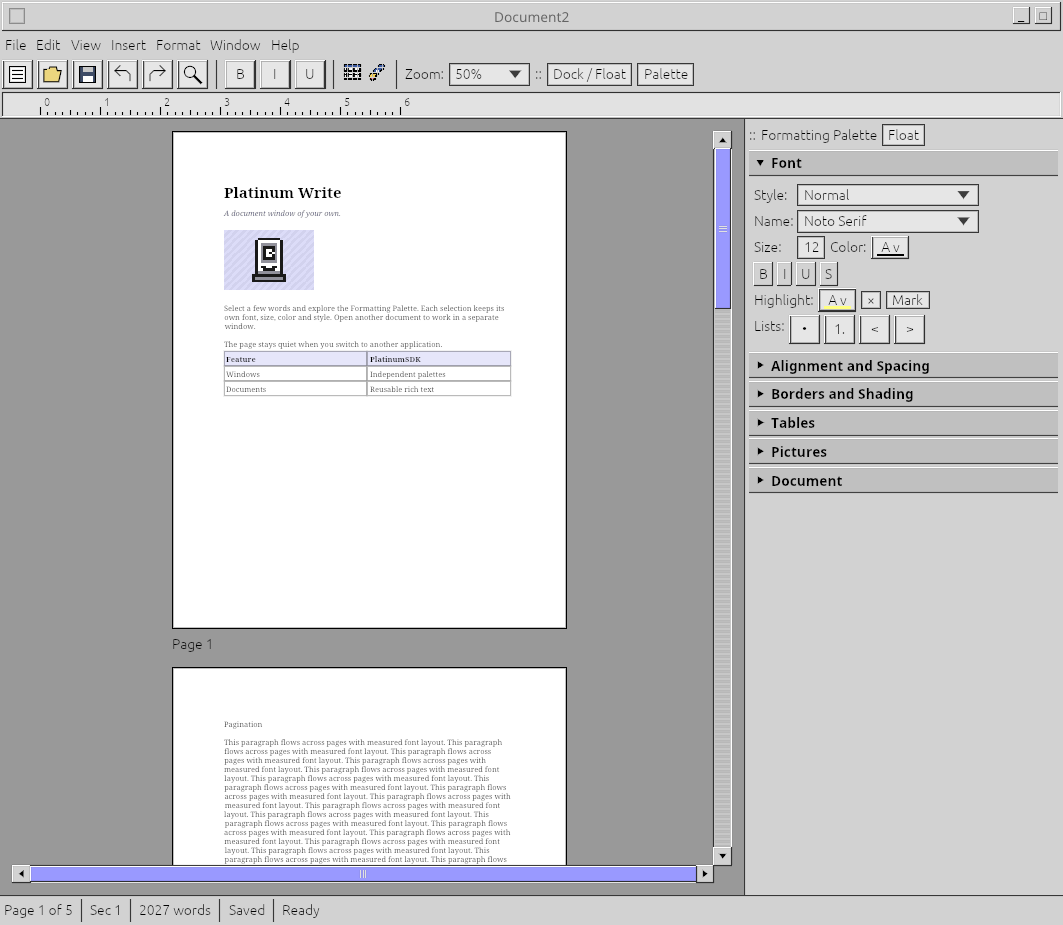
Float your tools beside the page, dock them into the document, or move them to a more comfortable spot. Choose your type, size and colors. The workspace adapts to the way you like to write.
Familiar controls with recognizable buttons, readable labels and a little texture. Enough on screen to know where things are, with plenty of room left for the writing.
Keep drafts and reference documents in separate windows. When you switch applications, Write’s floating tools step aside and leave your documents unobstructed. Come back when you’re ready to pick up the thread.
You don’t need to be one kind of writer to feel at home here. Draft a novel, work through an essay, gather your notes, or write something for the people you work with. Write is being built to make the time you spend with your words feel better.
The aim is a responsive, steady place to work: recognizable controls, useful choices, and a clear sense of where things belong. Keep what helps you in reach. Move the rest aside. There is room for a focused writing session and for a desktop full of other things you need to do.
Keep things together or spread them out. Write can be comfortably present while you’re using it, then quiet and compact while you work elsewhere.
Everything together when that feels right. Keep your everyday tools close to the document.
Open Write in your browser and spend a little time with it. Put a few thoughts on the page, find a comfortable typeface, and make the workspace your own.
No installation needed. Your documents stay in your browser unless you download them.
The browser edition keeps documents in tabs. The native desktop edition gives documents and floating tools their own windows.
About 21 MB. Requires WebGL2 and a recent browser. Browser permissions apply to clipboard and downloads.
Keep a working copy, share a draft, or prepare a document for someone else. Here are the formats available today, and what’s still coming.
Write belongs to a family of tools built to feel at home together. A familiar desktop, a little character, and useful ways to move your work between applications. Explore the rest of Platinum, from organizing your files to making a game or animation.
Explore the application family ↗