Start on the stage
Draw a character, arrange a background, choose a few colors. A compact toolbox and visible properties keep the tools close to the picture.
Draw, animate and build interactive scenes in a friendly desktop workspace. Inspired by the creative spark of early Flash, Animator takes its own path: reusable symbols, a clear timeline, and a place in a connected creative suite.
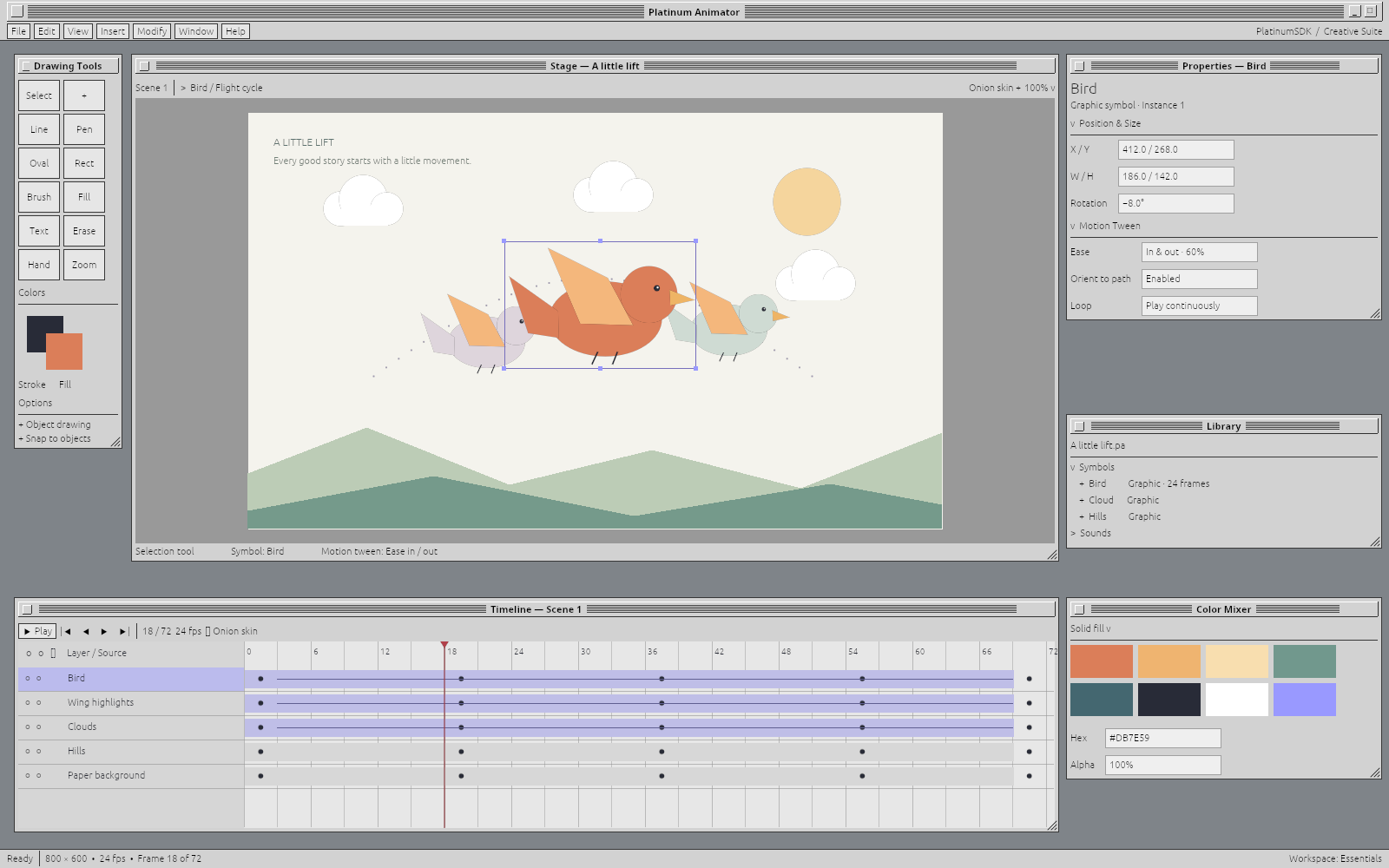
There was a lovely immediacy to the creative tools of the 90s: you could open one, try something, and have a tiny world of your own before dinner. Animator brings that feeling to a modern drawing, animation and interactive-authoring workspace.
Draw a character, arrange a background, choose a few colors. A compact toolbox and visible properties keep the tools close to the picture.
Build up layers and keyframes, look through neighboring poses with onion skinning, and shape a motion path. The workspace follows a bird through its flight cycle, with timing and tween controls beside the stage.
Turn artwork into reusable symbols and animated objects. A character should be something you can bring back, improve and share between projects, rather than redraw every time.
Short cartoons, character loops, interactive stories, animated interfaces and game art. The creative direction takes inspiration from early Flash, then follows an independent path on a modern foundation.
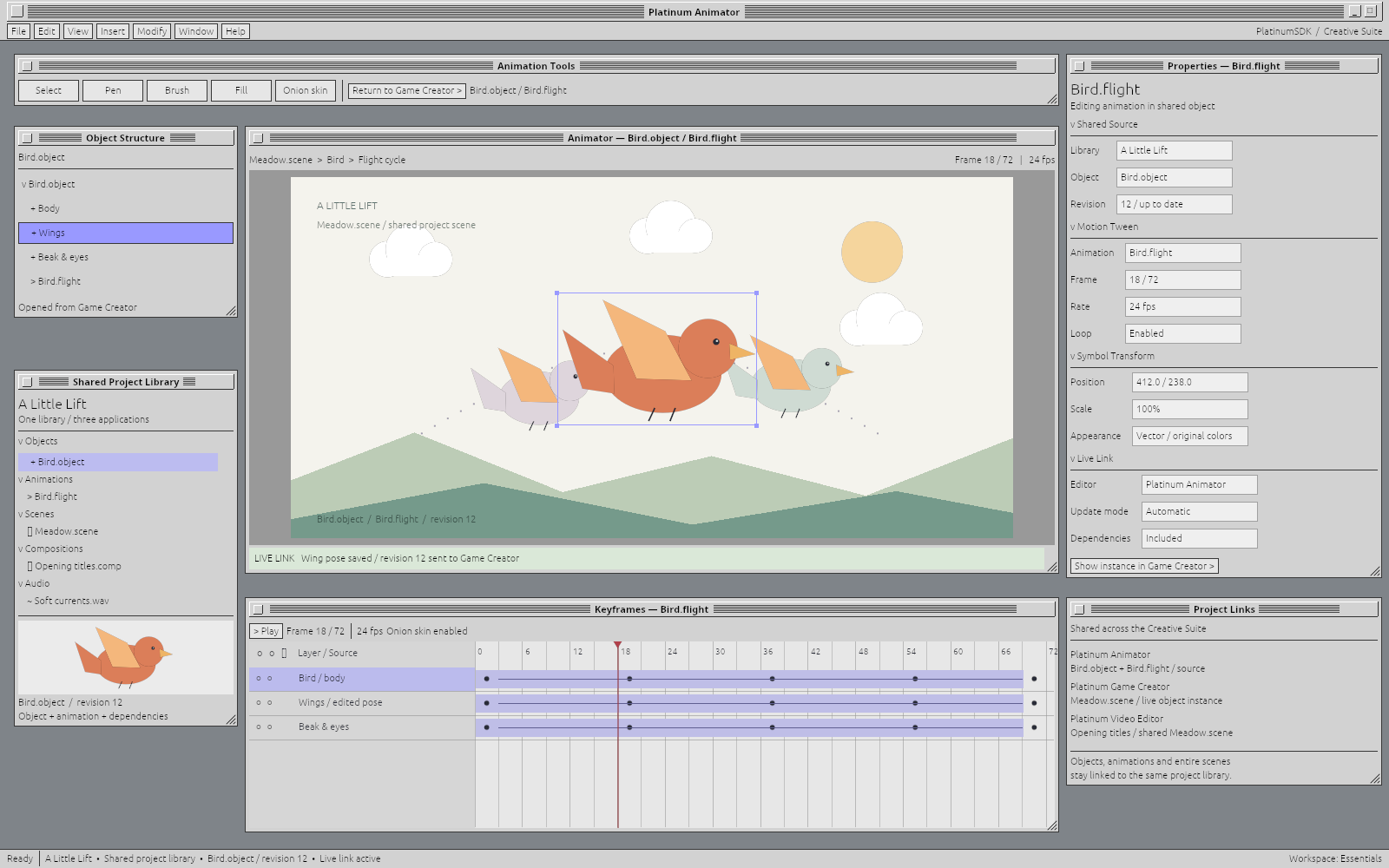
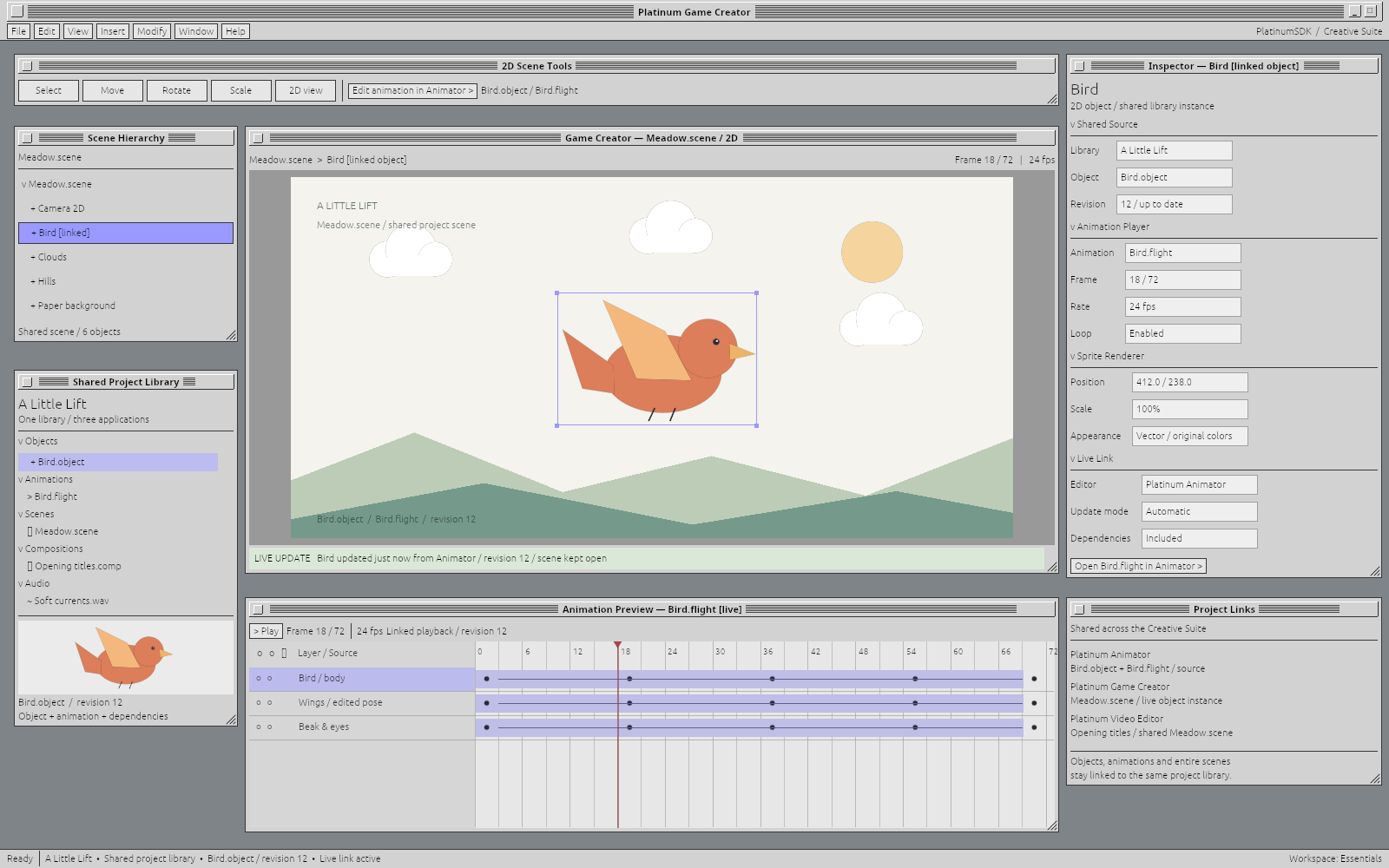
Animate the source object here and use it in Game Creator. Build a scene once and compose with it in Video Editor. The paired views show that workflow with one bird, one project library and a matching revision.
Explore the shared-library workflow ↓Animate a character in Animator. Use that same character in a game, then bring the scene into a video. The tools should understand the work they share.
The bird’s flight cycle is open on the timeline. Objects, animations, scenes, compositions and audio sit in the same project library.
 Open image to inspect at full size ↗
The matching bird, pose and revision appear in the scene. Edit animation in Animator leads back to the source; the project links also connect the scene to Video Editor.
 Open image to inspect at full size ↗
These tools are built around PlatinumSDK, and your own applications can be too. Reuse document editors, controls, commands and workspaces, or bring your own application model. The direction is a compatible family of tools that can cooperate around shared work. Cross-platform support remains central; availability varies by application and release.
Explore the application family ↗